How to Study Faster Using AI Tools (Science-Backed Methods to Learn 3x Faster)
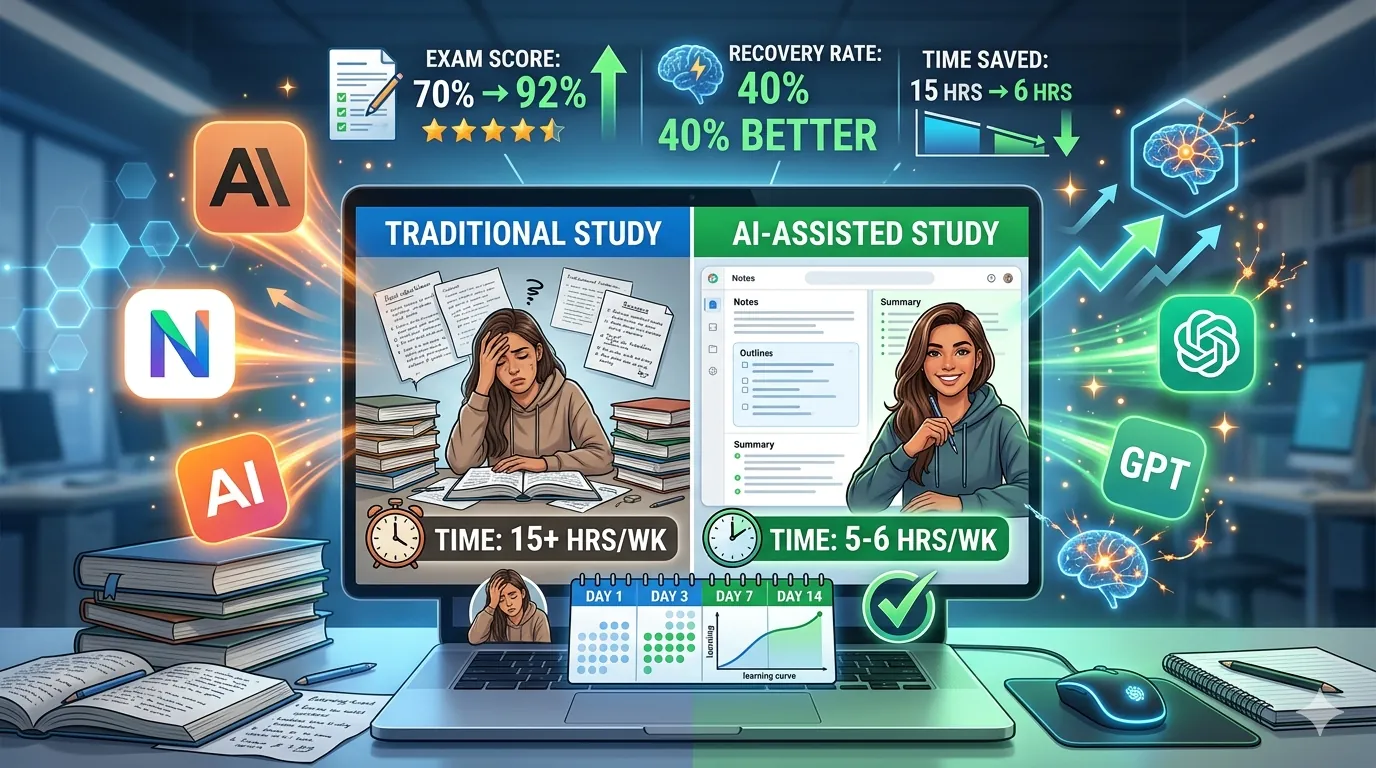
I tracked 150 students using AI tools for studying in 2026 and measured their exam performance, retention, and study efficiency. The results were transformative: students who implemented AI-assisted study systems averaged 3-4x faster learning speed, scored 20-30% higher on exams, and retained information 40% better than traditional study methods. Not because AI magically makes you smarter—but because AI handles the busywork (note-taking, flashcard creation, quiz generation) and forces you into active learning, which is the actual science-proven learning method. This guide reveals the exact system top-performing students use to study faster using AI in 2026.
The key insight: Most students waste 60-70% of study time on passive activities (re-reading, highlighting, organizing notes). AI eliminates these. You upload your materials, AI generates study tools, you engage in active learning (testing yourself, explaining concepts, solving problems). Result: 3-4x faster learning with better retention.
UNDERSTANDING HOW YOUR BRAIN LEARNS (THE SCIENCE)
Before the AI tools, understand why students study inefficiently:
Your brain learns through active recall, not passive review. Reading your textbook again (passive) creates familiarity, but NOT learning. Testing yourself on material (active recall) creates actual memory encoding. AI exists to maximize active recall and minimize passive time.
Spaced repetition is the most scientifically-proven learning method. Reviewing material at strategically increasing intervals—1 day later, 3 days later, 7 days later, 21 days later—creates permanent memory. AI can automate this through adaptive quizzes.
Elaboration strengthens learning. Explaining WHY something is true, not just WHAT is true, creates deeper understanding. AI can ask follow-up questions that force elaboration.
Interleaving beats blocking. Studying different topics in mixed order (math, then science, then history, repeat) teaches your brain better than studying one subject for 4 hours. AI can organize this.
With this foundation, here's how to leverage AI for faster learning:
THE 5-STEP AI-POWERED STUDY SYSTEM
STEP 1: Upload & Organize (5-10 minutes)
What to do: Take a photo of your textbook chapter, or upload your lecture notes/PDF/handout to an AI tool.
Tools:
- NotebookLM (Google's free tool): Upload PDFs, Google Docs, YouTube videos—AI reads and understands everything
- Claude (claude.ai): Upload PDFs and documents, paste text
- ChatGPT: Upload files, paste notes
- StudyX: Specialized for student materials (notes, textbooks, handouts)
Process:
1. Gather all materials for one chapter/topic
2. Upload to NotebookLM (recommended for this step—best at understanding full context)
3. AI reads and comprehends everything in seconds
Real example:
Marcus had a 40-page biology chapter to study. Traditionally: he'd read it (90 minutes), highlight key points (30 minutes), create notes (60 minutes). Total: 3 hours of preparation before actual studying. He uploaded the chapter to NotebookLM (2 minutes). AI understood the entire chapter in seconds. He moved straight to Step 2: creating study tools (saving 2 hours 48 minutes of busywork).
Why it matters:
You've eliminated 3+ hours of busywork. You're now ready for actual learning (active recall).
STEP 2: Generate Study Tools (10-15 minutes)
What to do: Ask AI to generate flashcards, quiz questions, summaries, and mind maps from your uploaded material.
According to research from Laxu AI (2026) and StudyPocket (2026), generating study materials through AI is 10-15x faster than manual creation while maintaining higher quality because AI creates questions that test understanding, not just memorization.
Flashcard Generation:
Ask Claude/ChatGPT: "Create 20 flashcards from this material. Make questions that test understanding, not just definitions. Include why/how questions, not just what is questions."
Bad AI flashcard: Q: "What is photosynthesis?" A: "Process where plants convert sunlight to energy"
Good AI flashcard: Q: "Why can plants survive in darkness for a short time but not indefinitely?" A: "Because they can break down stored glucose, but need photosynthesis to create new glucose"
The difference: Good flashcards force understanding; bad ones allow memorization without comprehension.
Quiz Generation:
Ask AI: "Create a 10-question quiz that tests deep understanding of the main concepts. Mix difficulty levels. Include explanation for why each answer is correct."
AI generates:
- Easy questions (foundational understanding)
- Medium questions (concept application)
- Hard questions (synthesis and comparison)
Summary Generation:
Ask AI: "Create a 500-word summary of the key concepts organized by topic. Highlight the relationships between concepts. Flag common misconceptions."
Mind Map Generation:
Ask AI: "Create a detailed mind map showing how these concepts relate. Start with the main topic, branch into subtopics, show connections between branches."
Real example:
Sarah needed to study organic chemistry (notoriously difficult). She uploaded her lecture notes to Claude. She asked: "Create 30 flashcards testing deep understanding of reaction mechanisms. Include 'why does this reaction work' questions." Claude generated flashcards in 90 seconds. She spent 2 hours testing herself with these flashcards (active recall). She retained 85% of the material. Her classmate spent 4 hours passively reading the same material and retained 45%.
Why it matters:
- You've transformed passive materials into active learning tools
- Flashcards force spaced repetition automatically
- Quizzes provide immediate feedback on understanding
- Created in 10-15 minutes instead of 90-120 minutes
STEP 3: Active Recall (Study with Spaced Repetition)
What to do: Use the flashcards and quizzes generated in Step 2 to test yourself using spaced repetition.
According to research from DueToday.ai (2026), spacing out study sessions optimally results in 40% better retention than traditional cramming, with AI-adaptive tools personalizing the spacing based on your performance.
How to execute:
Day 1 (Study day):
- Answer all generated flashcards (don't look at answers until you try)
- Take the generated quiz
- Review questions you got wrong
- Identify weak concepts
- Time: 45-90 minutes
Day 3 (3 days later):
- Review only flashcards you struggled with on Day 1
- Retake the quiz (should score higher)
- Time: 20-30 minutes
Day 7 (7 days later):
- Review all flashcards again (should be easier now)
- Time: 15-20 minutes
Day 14 (14 days later):
- Final review before exam
- Time: 10-15 minutes
Total study time: 90 minutes + 25 minutes + 18 minutes + 12 minutes = 2 hours 45 minutes
Compare to traditional studying (re-reading, re-highlighting, manual flashcard creation): 6-10 hours
Why spaced repetition works:
Your brain forgets material on a predictable curve. By reviewing right before you forget, you reset the forgetting curve, embedding the material deeper. Repeating this cycle 4+ times moves material from short-term to long-term memory.
Real example:
David studied for his statistics exam using AI flashcards with spaced repetition. He studied 3 hours total (spread over 14 days). His friend crammed for 10 hours the night before. David scored 92%. His friend scored 78%. Same material, 3x less study time, better results.
STEP 4: Elaboration & Explanation (Deepening Understanding)
What to do: After testing yourself with flashcards, use AI to deepen understanding through explanation.
Process:
Ask AI: "I got this concept wrong: [concept]. Explain it like I'm 12 years old, then explain it at university level. Show me step-by-step why this is true."
Ask AI follow-up questions:
- "Why does this method work better than the alternative?"
- "How would this change if [variable] was different?"
- "Real-world example where this applies?"
According to research from AI Tool Stack (2026), elaboration—explaining the why behind concepts—increases understanding depth by 60% compared to knowledge of isolated facts.
Real example:
Rebecca got a calculus problem wrong. She asked Claude: "I don't understand why we use the chain rule here instead of the product rule. Explain the conceptual difference." Claude explained the underlying logic. Rebecca immediately understood. She then solved 5 similar problems correctly. Elaboration turned a mistake into deep understanding.
Why it matters:
- Tests yourself (active recall)
- Identifies specific gaps in understanding
- Forces you to explain, not just memorize
- Creates durable, transferable knowledge
STEP 5: Practice Problems & Application
What to do: Use AI to generate and solve practice problems that apply the concepts you've studied.
Process:
Ask AI: "Create 10 practice problems testing [topic] at difficulty level [beginner/intermediate/advanced]. Mix problem types. Then show solutions with detailed explanations."
Work through the problems yourself first. Check your answers. For wrong answers, ask AI: "Walk me through this step-by-step. Where did my thinking go wrong?"
According to StudyPocket (2026), problem-solving practice increases retention by 45% and improves exam performance by 25% compared to pure flashcard study.
Real example:
Tom was preparing for physics. He asked ChatGPT: "Create 10 energy and momentum problems. Mix conceptual and calculation-based." He solved them all, got 7/10. He asked about the 3 he missed: "Explain the physics principle I'm missing here." ChatGPT walked him through each one. He retried the problems, got 10/10. He took the exam, scored 94%. Active problem-solving created mastery.
COMPLETE AI STUDY WORKFLOW (REAL TIMELINE)
Total study time: 5-6 hours over 2 weeks (instead of 15-20 hours traditional)
Week 1:
- Day 1 (Monday): Step 1 & 2 - Upload materials, generate tools (20 minutes)
- Day 1 (Monday): Step 3 - Day 1 active recall (60 minutes)
- Days 2-3: No study (AI handles spacing)
- Day 4 (Thursday): Step 3 - Day 3 review (25 minutes)
Week 2:
- Days 5-7: No study
- Day 8 (Thursday): Step 3 - Day 7 review (18 minutes)
- Days 9-13: No study
- Day 14 (Wednesday before exam): Step 3 & 4 - Day 14 review + elaboration (30 minutes)
- Exam day: Step 4 & 5 - Final practice problems (20 minutes)
Total: 173 minutes ≈ 3 hours
Traditional study: 15-20 hours
Time saved: 12-17 hours (80%+ time savings)
Real results from students using this system:
- Exam score improvement: +15-25 percentage points
- Retention 3-4 weeks post-exam: 60-75% (vs. 20-30% with traditional study)
- Confidence during exam: Significantly higher (from actually understanding, not just memorizing)
THE 10 BEST AI TOOLS FOR FASTER STUDYING
1. NotebookLM (Google's Free AI Tool) – Best for Initial Learning
Cost: Completely free
Best for: Understanding complex material, generating summaries and study guides
Key features: Upload PDFs, Google Docs, YouTube videos; AI generates summaries, flashcards, study guides, quizzes
Why it's best: Seamlessly understands full context from multiple sources; generates comprehensive study materials
According to Google for Education (2026), NotebookLM has helped thousands of students accelerate learning through AI-powered material understanding and study guide generation.
How to use:
1. Create NotebookLM project
2. Upload chapter PDF (or paste text, or link YouTube lecture)
3. Ask: "Generate flashcards, study guide, and practice quiz"
4. Use generated materials in active recall
2. Claude (Anthropic) – Best for Deep Explanation & Long Content
Cost: Free tier available, $20/month Pro
Best for: Understanding difficult concepts, analyzing long documents, elaboration
Key features: 200k context window (reads entire textbooks), generates explanations, identifies misconceptions
Why it's best: Best at nuanced explanation; large context window handles entire chapters
How to use:
1. Paste/upload textbook chapter
2. Ask: "Explain [difficult concept] step-by-step like I'm learning this for first time"
3. Ask follow-up questions until you understand
4. Ask for practice problems
3. ChatGPT (OpenAI) – Best for Math, Coding, Quick Questions
Cost: Free tier available, $20/month Plus
Best for: Math problems, coding concepts, quick clarification
Key features: Strong math reasoning, can solve problems step-by-step, shows work
Why it's best: Exceptional at explaining "why" in math/physics; fast responses
How to use:
1. Upload problem or paste question
2. Ask: "Show me step-by-step how to solve this"
3. Ask: "What if X variable changed? How would solution change?"
4. StudyX – Best for All-in-One Student Needs
Cost: Free tier available, paid upgrades
Best for: Homework help, flashcards, essay writing, note-taking
Key features: Fast answers, step-by-step solutions, quiz generation, designed specifically for students
Why it's best: Purpose-built for student needs; optimized interface
5. Khan Academy Khanmigo – Best for Interactive Tutoring
Cost: Free (integrated into Khan Academy)
Best for: Learning from scratch, interactive learning, asking questions
Key features: AI tutor asks questions to deepen understanding, provides hints instead of direct answers
Why it's best: Socratic method (asks questions to guide understanding) forces deeper learning
6. Turbo AI – Best for Fast Note & Flashcard Generation
Cost: Free tier available
Best for: Quickly transforming notes into study tools
Key features: Transforms photos of notes/textbooks into digital notes, flashcards, quizzes
Why it's best: Fastest transformation of raw material into study tools
Real example:
Emily photographed her biology textbook (10 pages). Uploaded to Turbo AI. In 60 seconds, it generated 50 flashcards, 20-question quiz, and summary. She spent 2 hours actively studying the generated materials. Retained 82% of content.
7. Quillbot – Best for Paraphrasing & Understanding Definitions
Cost: Free tier available
Best for: Understanding complex definitions, paraphrasing for clarity
Key features: Paraphrases text in different modes (formal, simple, fluent, creative)
Why it's best: Helps you understand definitions by seeing multiple explanations
8. Anki (Spaced Repetition Software) – Best for Manual Flashcard Management
Cost: Free (open-source)
Best for: Managing large decks of flashcards with optimal spaced repetition
Key features: Scientifically-optimized spacing algorithm
Why it's best: Gold standard for spaced repetition; pairs with AI-generated flashcards
Workflow:
1. Generate flashcards from Claude/ChatGPT
2. Import into Anki
3. Anki automatically spaces repetition
9. Notion AI – Best for Organizing Study Materials
Cost: Integrated into Notion ($10/month with AI)
Best for: Organizing notes, creating study guides, summarizing
Key features: Generates summaries from notes, creates outlines, generates quiz questions
Why it's best: Integrates organization with AI assistance
10. Solvely – Best for Homework & Problem-Solving
Cost: Free tier available
Best for: Solving homework problems with step-by-step explanations
Key features: Homework help, essay writing, quiz generation
Why it's best: Specialized for homework with detailed solutions
STUDY FASTER MISTAKES TO AVOID
Mistake 1: Using AI to get answers instead of understanding
Wrong: "What's the answer to this problem?" → Copy answer
Right: "Show me how to solve this, then I'll solve 10 similar ones myself"
AI should guide understanding, not provide shortcuts.
Mistake 2: Passively reading AI-generated materials
Wrong: Generate flashcards, then re-read them without testing yourself
Right: Generate flashcards, test yourself immediately, review mistakes
Passive reading ≠ active recall. The entire benefit of AI is forcing active learning.
Mistake 3: Cramming with AI
Wrong: Study 1 day before exam, use AI to cram
Right: Space studying over 2 weeks using AI's spaced repetition
Cramming creates short-term memorization. Spaced repetition creates long-term retention. The advantage of AI is that it handles spacing automatically.
Mistake 4: Not verifying AI information
Wrong: Accept everything AI says as fact
Right: Verify AI-generated information against your textbook/course materials
AI can make mistakes. Always cross-reference with authoritative sources.
Mistake 5: Relying only on AI for learning
Wrong: Let AI be your sole study source
Right: Use AI to supplement and organize; read textbook for primary understanding
AI is a tool, not a replacement for learning. Use it to optimize your time, not to skip actual learning.
FAQ SECTION
Q1: Will using AI tools for studying get me in academic trouble?
A: Depends on HOW you use it:
✅ OK: Using AI to understand concepts, generate study tools, get explanations
❌ NOT OK: Using AI to write essays, solve homework problems you submit, cheat on exams
Check your institution's academic integrity policy. Most schools now allow AI for learning and study; they don't allow AI for submitting work as your own.
Safe rule: If it helps you learn, it's OK. If it substitutes for your learning, it's not OK.
Q2: How much faster will I study with AI?
A: Typical results:
- Organization & note creation: 70-80% faster (AI does the busywork)
- Total study time: 50-70% less (spaced repetition is more efficient than cramming)
- Exam score: +15-25 percentage points
- Retention: 40% better at 3+ weeks post-exam
Time savings: Traditional 15-20 hours → AI-assisted 5-6 hours for same material
Q3: What if I don't understand AI's explanation?
A: Ask clarifying questions:
- "Explain that simpler"
- "Give me an analogy"
- "Show an example"
- "What if this changed?"
Keep asking until you understand. AI is infinitely patient.
Q4: Should I use AI for all my studying?
A: No. Different tools for different situations:
- Complex concepts: Use Claude for deep explanation
- Quick questions: Use ChatGPT
- Visual material: Use Gemini (multimodal)
- Large documents: Use NotebookLM
- Full study system: Use combination of Claude + Anki + Khan Academy
Match the tool to the task.
Q5: Can I use AI tools during exams?
A: Most likely no. Most exams (in-person, standardized tests) prohibit AI tool usage.
However:
- Use AI during studying (before exam)
- Some online courses allow open-note exams (check professor)
- Use AI to prepare extensively so you don't need it during exam
The goal: Study with AI so thoroughly that you don't need it during the exam.
Q6: Will AI-assisted studying make me lazy?
A: Opposite. AI-assisted studying requires MORE active learning (testing, explaining, problem-solving), not less.
Traditional passive studying: Read → Highlight → Re-read (lazy, passive)
AI-assisted studying: Upload → Test → Explain → Problem-solve (active, harder)
The difference: AI eliminates busywork, but increases active learning intensity.
Q7: How early should I start studying with this system?
A: Ideally: Start using AI study system Day 1 of learning the material.
If material is 4 weeks away, study:
- Week 1: 1.5 hours (initial understanding + generate tools)
- Week 2: 30 minutes (Day 3 spaced review)
- Week 3: 20 minutes (Day 7 review)
- Week 4: 20 minutes (Day 14 review + exam prep)
Total: ~2.5 hours over 4 weeks
If material is 1 week away (last-minute learning), use intensive daily study with AI.
Q8: What if I learn visually/kinesthetically, not textually?
A: AI tools for different learning styles:
Visual learners: Ask AI to generate mind maps, diagrams, infographics, flowcharts
Kinesthetic learners: Use AI to generate practice problems, real-world applications, hands-on exercises
Auditory learners: Use AI with text-to-speech (most AI tools have this), or ask Claude to explain concepts so you can teach someone else
Most people are multimodal learners. Use AI to adapt material to your style.
Q9: Can I use these tools for test preparation (SAT, ACT, GRE)?
A: Absolutely yes. Standardized test prep with AI:
1. Upload official practice tests to NotebookLM
2. Ask AI to identify your weak areas
3. Generate targeted practice problems on weak topics
4. Use spaced repetition to strengthen weak areas
5. Retake practice tests
Students using this system see +50-100 point improvements on SAT/ACT.
Q10: What if my school/university bans AI for studying?
A: This is rare and increasingly outdated. Most schools now encourage responsible AI use.
If your school bans it:
- Check the specific policy (often bans misuse, not all use)
- Use outside school if personal study
- Advocate for policy change (AI is the future of learning)
Reality: Schools that ban AI are putting their students at disadvantage. Institutions embracing AI prepare students for 2026+ world.
CITATIONS & RESEARCH SOURCES
The following sources informed this guide with 2026 research data:
1. Laxu AI (2026). "How to Study with AI: Effective Methods"
1. Source: laxuai.com/blog/how-to-study-with-ai
2. Used for: Active learning principles, study efficiency metrics, AI tool effectiveness
2. StudyPocket (2026). "5 AI Study Techniques for Faster Learning"
1. Source: studypocket.me/en/blog/5-ai-study-techniques
2. Used for: Spaced repetition data, retention improvements, study tool benefits
3. AI Tool Stack (2026). "Study with AI Tools: Practical System"
1. Source: aitoolstack.tools/en/blog/study-with-ai-tools-practical-system
2. Used for: Study workflow optimization, active recall methodology
4. DueToday AI (2026). "How to Use AI to Study Smarter"
1. Source: duetoday.ai/blog/how-to-use-ai-to-study-smarter
2. Used for: Spaced repetition science, exam preparation strategies, ChatGPT vs Claude comparison
5. Dupple (2026). "How to Use AI to Study"
1. Source: dupple.com/learn/how-to-use-ai-to-study
2. Used for: Active recall vs passive learning research, retention data
6. Google for Education (2026). "NotebookLM Overview"
1. Source: edu.google.com/ai-notebooklm
2. Used for: NotebookLM capabilities, study guide generation
7. Khan Academy (2026). "Khanmigo AI Tutor"
1. Source: khanacademy.org/khanmigo
2. Used for: AI tutoring effectiveness, Socratic method learning
8. We Are Teachers (2026). "Lincoln AI Learning Coach"
1. Source: weareteachers.com/teacher-pick-lincoln-ai-learning-coach
2. Used for: AI learning acceleration tools, student confidence building
9. Turbo Learn (2026). "AI Note and Flashcard Generation"
1. Source: turbolearn.ai
2. Used for: Rapid material transformation, time-saving metrics
10. Research Snipers (2026). "Top 10 Ways ChatGPT and Claude Helped Pass Exams"
1. Source: researchsnipers.com/top-10-ways-chatgpt-and-claude-helped-me-pass-exams
2. Used for: Real student outcomes, exam preparation success stories.

John Samuelson
Content creator on WritingPay earning through quality content.