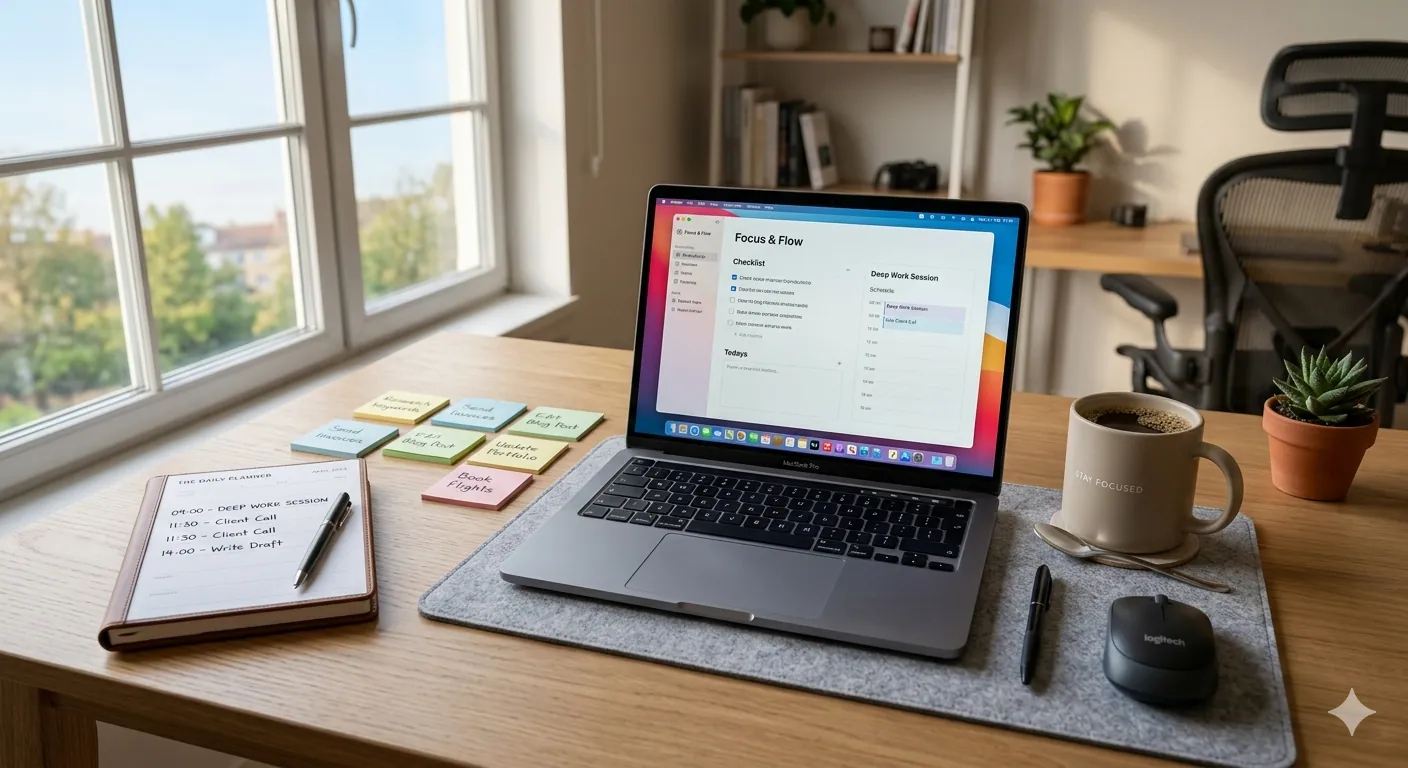
7 Productivity Hacks That Actually Work: Real Tips That Save Hours Every Week
Listen, I get it. You're drowning in tasks. Your to-do list feels impossible. You've tried those fancy productivity apps, watched YouTube videos promising "10x productivity," and honestly? Most of it feels like noise.
The thing is, productivity isn't about working harder or longer. It's about working smarter.
I've spent the last few years testing what actually works—and I mean really works, not just what sounds good. I've talked to remote workers, students, small business owners, and freelancers. And honestly, the most productive people I know all use similar hacks.
Here's the good news: you don't need complicated systems or expensive tools to be productive. You just need to know which strategies actually move the needle.
In this guide, I'm sharing 7 productivity hacks that have genuinely changed how I—and thousands of other people—work. These aren't theoretical. They're practical, tested, and surprisingly simple.
TABLE OF CONTENTS
1. The Deep Work Block Method
2. Time Blocking on Your Calendar
3. The Two-Minute Rule
4. Batch Similar Tasks Together
5. Use a Shutdown Ritual
6. The Priority Pyramid
7. Automate Your Repetitive Work
8. FAQ Section
9. Final Thoughts
1. The Deep Work Block Method: Your Secret Weapon for Real Progress
Here's the brutal truth: multitasking is killing your productivity.
When you jump between emails, Slack messages, and your actual work, your brain pays a switching cost. Studies show it takes about 23 minutes to refocus after an interruption. That's nearly half an hour wasted every time someone pings you.
The deep work block method is simple: block 45-90 minute chunks of time where you do one thing and one thing only.
No emails. No Slack. No "quick" social media checks. Just you and the work.
Real Example:
I tested this while writing articles. When I committed to 90-minute writing blocks with my phone in another room, I'd finish in one session what used to take three scattered sessions with constant breaks. The quality improved too—not because I worked harder, but because my brain could actually think deeply.
How to implement it:
- Pick your most important task
- Set a timer for 45 or 90 minutes
- Close every other tab and app
- Silence notifications
- Work until the timer ends
- Take a 15-minute break, then repeat
Pro tip: Do your deep work blocks early in the day when your brain is fresh. It's the difference between feeling productive and actually being productive.
2. Time Blocking on Your Calendar: Making Work Visible and Real
Here's something I've noticed: people often say "I don't have time" when really, they have no visibility into their time.
Time blocking changed that for me. Instead of having a vague to-do list, I literally block out time on my calendar for specific tasks.
You know what's weird? When tasks are on your calendar, they feel real. You're more likely to actually do them.
Real Example:
A friend who runs a small consulting business was struggling. She'd say she was "too busy" to follow up with clients, but really, she just reacted to whatever came through her inbox. When she started blocking 2 hours on Monday for client calls and 1 hour on Thursday for follow-ups, everything changed. Revenue went up 30% in three months. Same job, same hours—just organized differently.
The blocks that work best:
- Deep work blocks: 8am-11am (when your brain is sharpest)
- Meeting blocks: 1pm-3pm (keep them together so mornings stay focused)
- Admin blocks: 4pm-5pm (emails, messages, smaller tasks)
- Planning: Friday afternoon for next week
Why this actually works:
Your brain needs to know what's coming. When you have structured time, you don't waste mental energy deciding "should I work on this now?" You just follow your calendar.
3. The Two-Minute Rule: Stop Procrastinating on Small Tasks
Ever notice how a tiny task—like responding to one email or updating a form—can sit on your to-do list for days?
That's because our brains procrastinate on small stuff just as much as big stuff, even though small stuff takes literally two minutes.
The two-minute rule is stupid simple: if something takes less than 2 minutes, do it immediately instead of adding it to your list.
Real Example:
I used to keep a list of "quick emails to send." One day I counted—there were 23 emails, and most would take under 90 seconds to write. They were taking up mental space for weeks. When I started just responding immediately, that mental clutter disappeared. I probably saved 2-3 hours per week just from not thinking about them anymore.
What qualifies as a two-minute task:
- Reply to a quick email
- Send a Slack message
- Update a form field
- Make a quick phone call
- Approve a document
- Respond to a comment
The productivity boost: You'd be shocked how much mental energy small unfinished tasks consume. Finishing them immediately actually frees up brain space for important work.
4. Batch Similar Tasks Together: The Efficiency Multiplier
Switching between different types of tasks is exhausting.
Your brain has to reload context every time. When you batch similar tasks together, you stay in the same "mental mode," and everything becomes faster and easier.
I'm talking about batching things like:
- All your email for the day (not spread through it)
- All your admin work together
- All your creative work in one session
- All your calls in one block
Real Example:
A freelance designer I know used to jump between client emails, design work, invoicing, and marketing. She was constantly switching gears. When she reorganized to do all admin work on Tuesday and Thursday mornings, and design work on Monday, Wednesday, Friday? She estimated it saved her 5-7 hours per week. Same work, better organized.
Simple batching system:
| Day | Morning | Afternoon
|-----|-----|-----
| Monday | Deep work on main projects | Client meetings
| Tuesday | Admin + emails | Creative work
| Wednesday | Deep work | Emails + admin
| Thursday | Calls + meetings | Planning
| Friday | Wrap-up | Planning next week
The psychology behind it: Your brain doesn't like switching modes. It's cognitively expensive. When you batch, you enter a flow state faster and stay there longer.
5. Use a Shutdown Ritual: End Your Day Right (This One Changed My Life)
Here's something nobody talks about: how you end your day matters as much as how you start it.
Most people just... stop working when they feel like it. Then they spend the evening thinking about half-finished work. That's anxiety, not productivity.
A shutdown ritual signals to your brain that work is done. You review what you accomplished, plan tomorrow, and then—you actually stop working.
My shutdown ritual (takes 10 minutes):
1. Close all work apps
2. Review today's accomplishments (feels good, by the way)
3. Write tomorrow's top 3 priorities
4. Check calendar for tomorrow
5. Close the laptop
That's it. Takes less than 10 minutes, but it's changed my evenings completely. I actually relax now instead of mentally rehashing work.
Real Example:
A student I mentored was burning out because she'd work on assignments until 11pm, then couldn't sleep because her brain was still "on." When she started a 5-minute shutdown ritual—finishing at 8pm, reviewing what she'd done, writing tomorrow's study plan—her sleep improved and somehow she got more work done. That's because her brain could actually rest.
Why it works:
- Mental closure: Your brain needs an endpoint
- Better sleep: You're not thinking about unfinished work
- Better tomorrow: You start with clarity, not confusion
- Prevents burnout: Clear boundaries between work and rest
6. The Priority Pyramid: Stop Doing Everything Equally
This is probably the most important hack on this list, and honestly, most people miss it.
You don't have time for everything on your to-do list. So instead of trying to do it all (and failing), you should decide what actually matters.
The priority pyramid is simple:
Level 1 (Top): 1-2 things that matter most this week
Level 2 (Middle): 3-4 important things
Level 3 (Bottom): Everything else that would be "nice to do"
You do Level 1 first. Only when Level 1 is done do you move to Level 2.
Real Example:
I know a project manager who was drowning. Her to-do list had 47 items. When she sat down and really thought about it, only 3 things would actually impact her project. She reorganized to do those 3 first, everything else second. Her stress went down 80%. She actually started delivering work on time because she wasn't spreading herself thin.
How to figure out your Level 1:
Ask yourself: "If I only accomplished 2 things this week, what would they be?"
That's your Level 1. Do that first. Don't feel guilty about pushing other stuff to later—that's the entire point.
The mindset shift: Productivity isn't about doing more. It's about doing the right things first.
7. Automate Your Repetitive Work: Stop Doing What Machines Can Do
Here's what most busy people don't realize: you're probably doing work that could be automated.
I'm not talking about fancy AI here. I'm talking about simple automation that any tool can do.
If you're doing the same thing more than twice a week, it's worth automating.
Real Examples of Automation:
- Zapier/IFTTT: Automatically save email attachments to folders, create tasks from Slack messages, send team Slack notifications based on form submissions
- Email templates: Pre-written responses for common questions
- Calendar automation: Auto-schedule follow-ups, send reminders
- Spreadsheet formulas: Stop doing manual calculations
- Browser extensions: Auto-fill common forms
Real Example:
A customer service person was manually copying customer questions into a tracking spreadsheet. When she set up a simple automation, customer emails now automatically create a row in her spreadsheet with the time received, customer name, and issue type. She saved about 3 hours a week on that one task alone. Those 3 hours? Now spent actually solving problems.
Start here with automation:
1. Track what tasks you do most often
2. Notice which ones repeat identically
3. Set up simple automation (most take 10 minutes to set up)
4. Save hours per month
The win: You're not working harder. You're just removing boring stuff so you can focus on real work.
BONUS TIP: Create a Dedicated Workspace (Even Small)
This one seems obvious but it's powerful. Your brain needs to know "when I'm here, I work."
Whether it's:
- A full desk in a home office
- A corner of your bedroom with a small table
- Even just a specific chair at a coffee shop
When you work in the same space consistently, your brain enters "work mode" faster. No setup needed. You just sit down and you're focused.
REAL TALK: When These Hacks Actually Make a Difference
So honestly, when will you notice results?
- First week: You'll notice the shutdown ritual helps you relax better
- Week 2-3: Time blocking reveals how much time you actually have
- Week 4: You'll be shocked how much you accomplish with deep work blocks
- Week 8: This becomes normal and you wonder how you worked any other way
The key is picking 2-3 hacks to start, not trying all 7 at once. One person I know started with just time blocking + deep work blocks. In 8 weeks, she reclaimed about 8 hours per week. That's not a small change.
FREQUENTLY ASKED QUESTIONS
Q1: What if I can't do 90-minute deep work blocks because of my job?
A: Start with 45 minutes. Even 30 minutes of uninterrupted work beats being scattered all day. The length matters less than the consistency.
Q2: Do I need special apps or tools to use these hacks?
A: Honestly, no. Most of this works with Google Calendar and basic tools you already have. Fancy productivity apps don't make you more productive—good habits do. Apps just support them.
Q3: How do I handle urgent interruptions during my deep work time?
A: That's the thing—most "urgent" requests aren't actually urgent. Tell people your deep work hours and ask them to message you after. You'll be shocked how many things can wait 90 minutes. If something is truly urgent (like emergency), people will find a way to reach you anyway.
Q4: What if I'm working with a team that doesn't use time blocking?
A: You can still do it personally. Block your calendar so people see you're unavailable, even if they don't know why. You don't need everyone on the same system for it to work.
Q5: Which hack should I start with if I can't do them all?
A: Start with the shutdown ritual. It's the easiest, takes 10 minutes, and it immediately improves your life outside of work. Once that feels normal, add deep work blocks. Build from there.
CONCLUSION: Small Changes, Big Results
Here's the truth: you're probably not as busy as you think. You're just disorganized.
These 7 hacks aren't revolutionary. They're not secret. But they work because they address the real problem—not your lack of time, but how you use the time you have.
I'm not saying you'll instantly become a productivity machine. But if you pick 2-3 of these and actually use them for 8 weeks? You'll reclaim hours every week. Hours you can use for what actually matters to you.
The best productivity hack is the one you'll actually use. So don't try to do everything. Pick what sounds most useful, start small, and build from there.
Start with just one tomorrow. Pick the shutdown ritual if nothing else resonates. Give it two weeks. You'll see the difference.
What productivity hack are you going to try first? Drop a comment and let me know—I'd love to hear what works for you.

John Samuelson
Content creator on WritingPay earning through quality content.